Six new styles for the digital menu
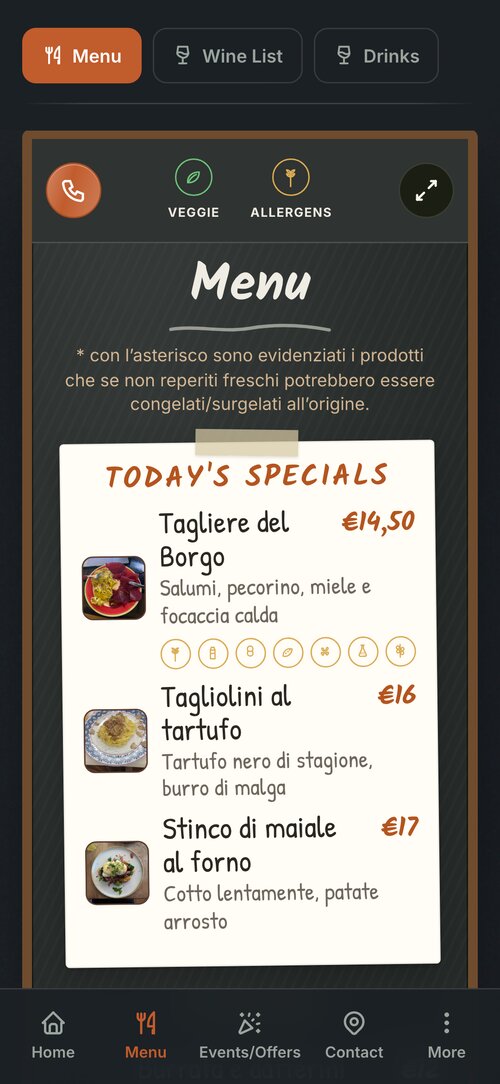
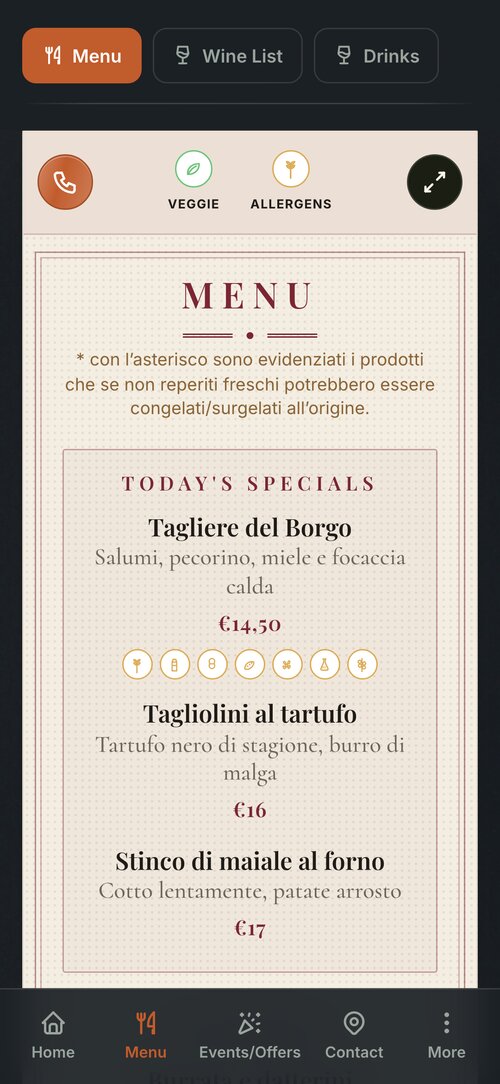
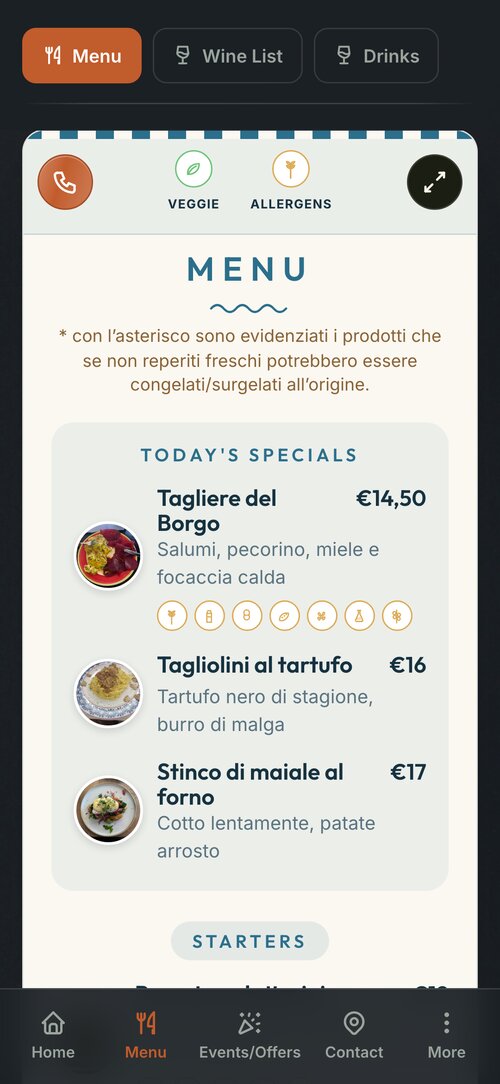
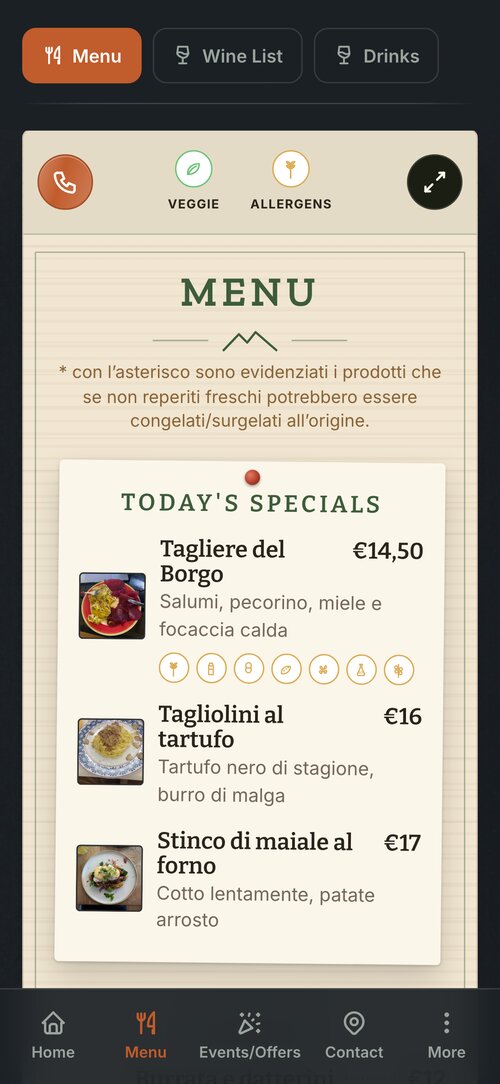
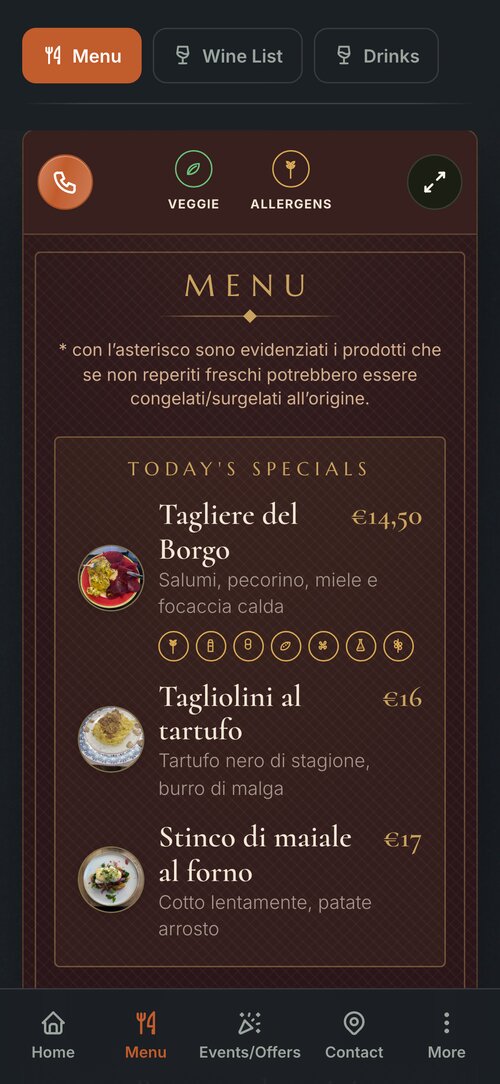
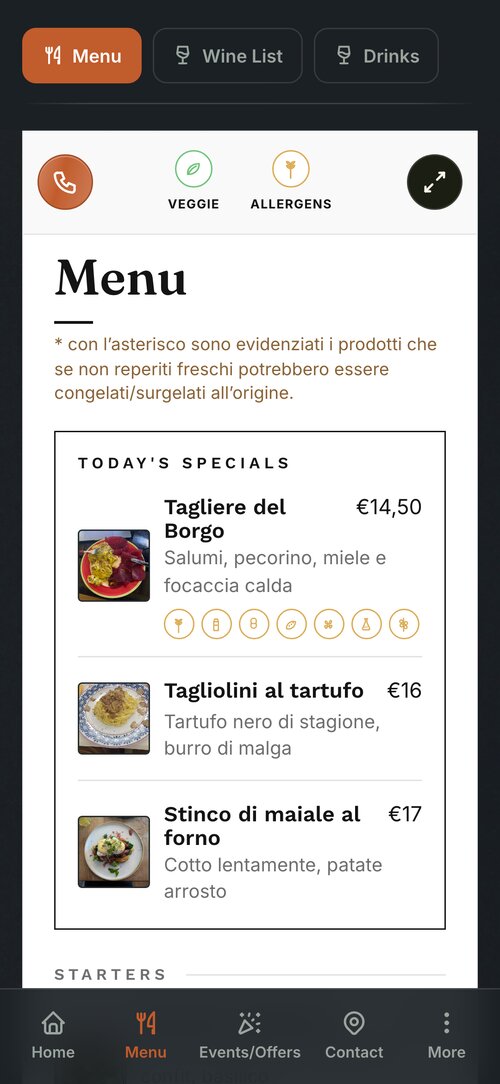
Your venue's menu can now dress in nine ways. To the original three, Classic, Elegant and Modern, six more are added: Chalkboard, Bistro, Riviera, Chalet, Wine bar and Gallery. The look changes, never the dishes: they stay exactly as you wrote them.
The six new styles
The same menu, the Pane&Vino demo's, in the six new styles.
Where you choose it
In the Manager, under Settings › Your App › Menu Style. Each style has its own small preview: tap the one you like, and your customers see the menu in its new outfit.
What changes, and what doesn't
The style dresses the whole app: the menus, the drink lists, the set menu, the daily specials and the event and offer cards. The paper, the fonts, the frames and the ornaments change. The dishes, the prices and the allergens stay as you wrote them.
Who it is for
Restaurants, bars and mountain lodges: the businesses whose app shows the menu on a sheet. One style covers the whole app, and you can change it whenever you like.